IWV Chat AI: The Free, Private, Voice-First AI Assistant for Android, Windows, and Linux
IWV Digital Solutions LLC | April 2026
Most AI assistants live on someone else's server. You type a question, it travels across the internet to a data center, gets processed by hardware you will never see, and a response comes back — along with a record of everything you asked, stored in a database you have no access to and no control over. That is the standard model. IWV Chat AI rejects it entirely.
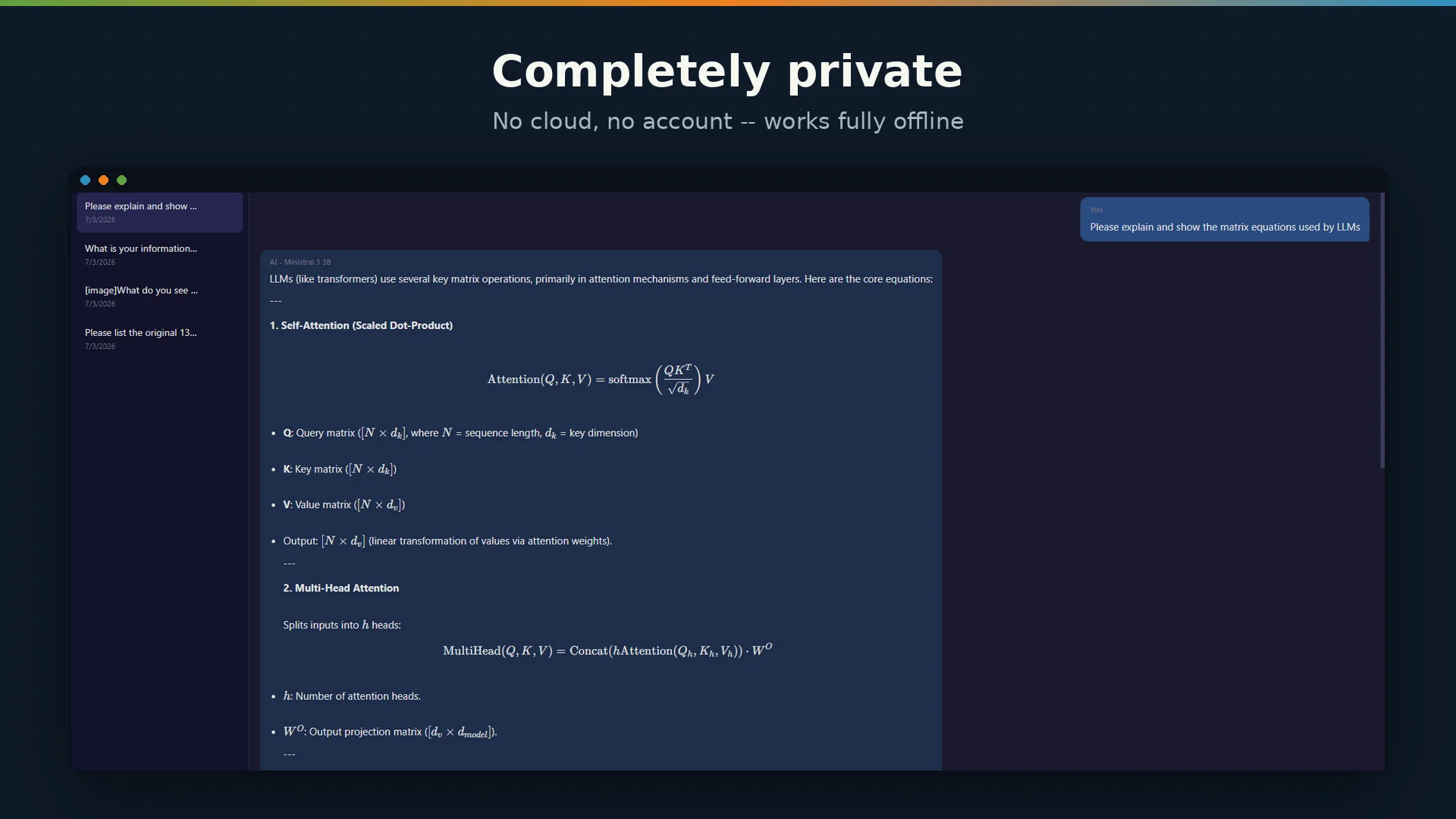
IWV Chat AI is a fully offline, voice-first AI assistant that runs entirely on your device. No account. No subscription. No cloud. No data collection. No cost. You download it, you install it, and you have a private AI assistant that works whether you are connected to the internet or not. Every word you say to it stays on your hardware.
Built by IWV Digital Solutions LLC — the same team behind NotesXML — IWV Chat AI brings the proven, GPU-accelerated AI engine from NotesXML's Professional tier to a standalone application that anyone can use, completely free.
Why IWV Chat AI Exists
IWV Digital Solutions builds software under a principle we call the Zero-Exposure Protocol — a commitment that your data never leaves your device, that no IWV server processes or stores your content, and that every core feature works offline. NotesXML was built on this principle. IWV Chat AI extends it to conversational AI.
The reasoning is straightforward: a private AI assistant should not require you to trust a third party with your conversations. It should not require an internet connection to function. And it should not cost money to use. IWV Chat AI meets all three requirements.
A Conversation, Not a Command Line
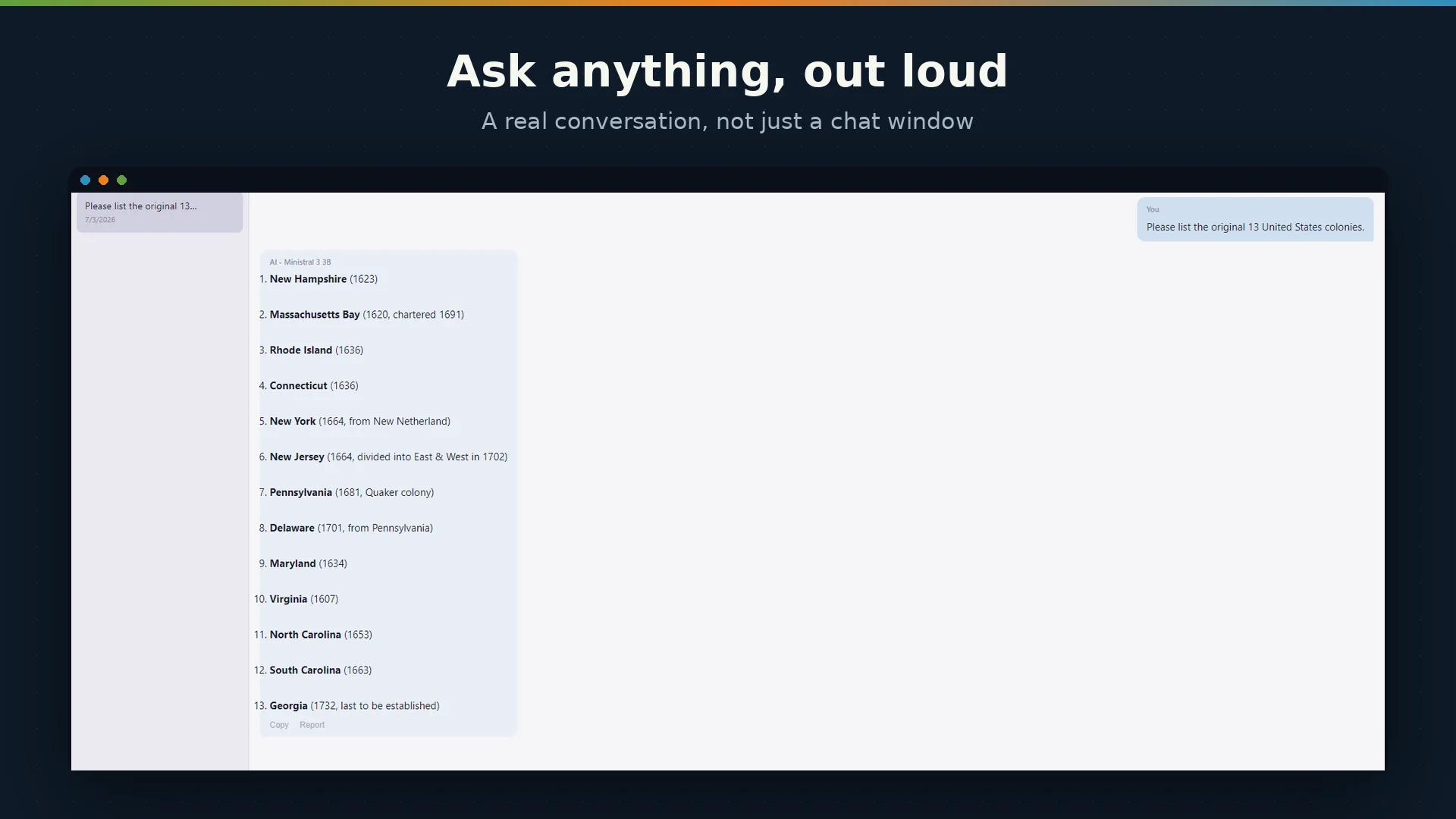
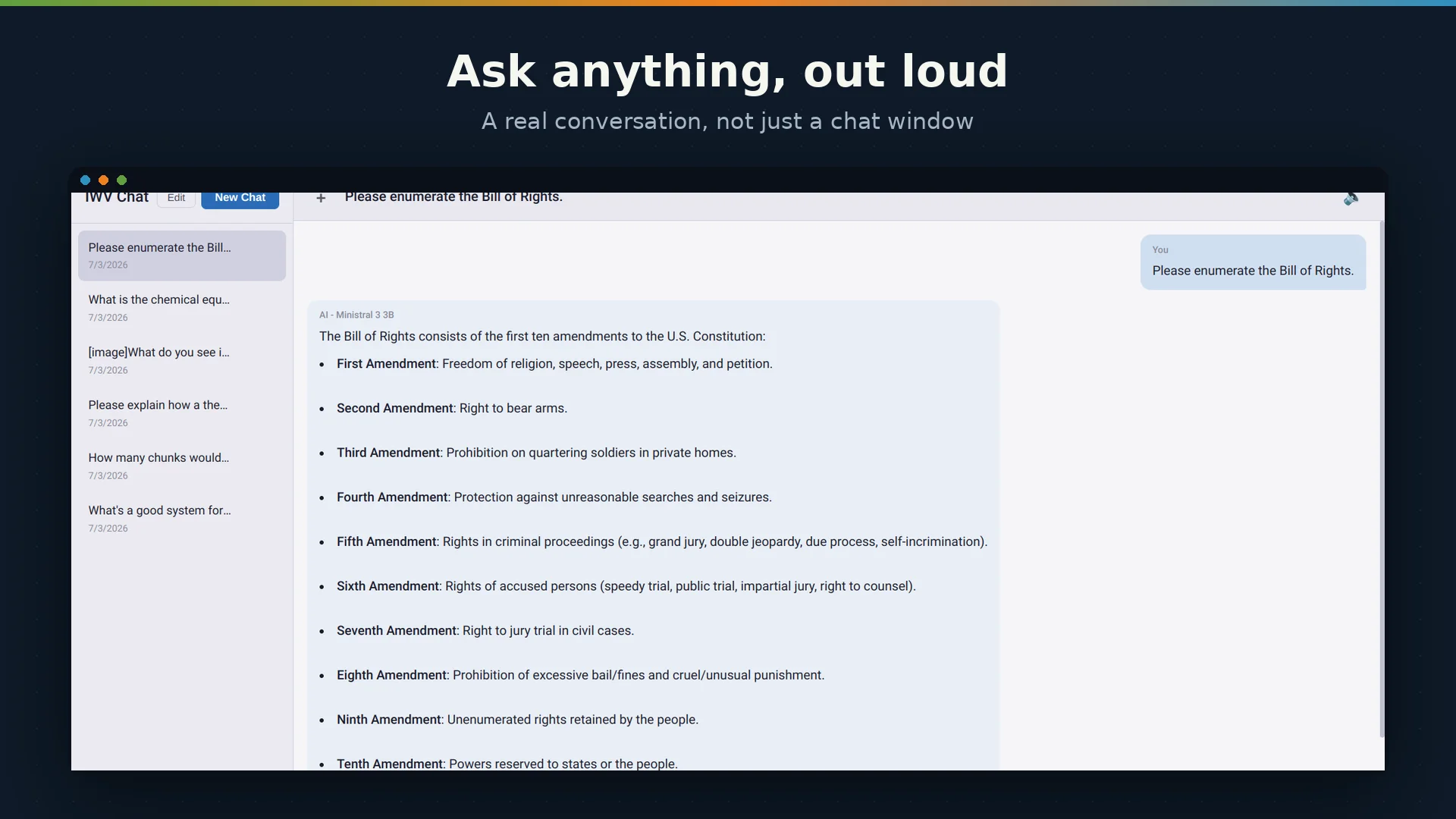
IWV Chat AI is a multi-turn conversational assistant. You ask a question, it responds. You follow up, it remembers the context. The full conversation history feeds into each response, giving the AI the same continuity you would expect from a human conversation — up to the model's context window.
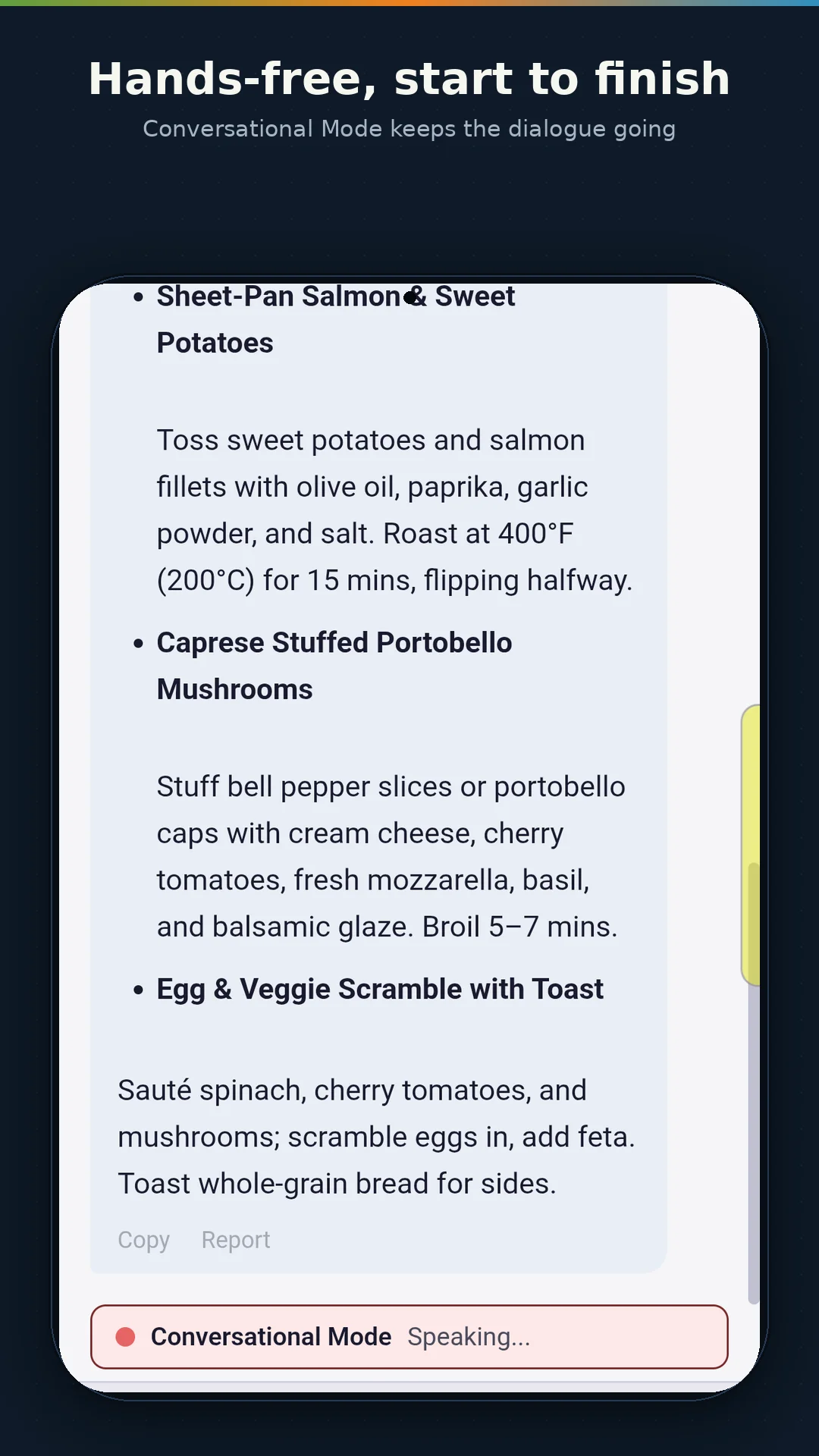
Responses stream in token by token as they are generated, so you see the answer forming in real time rather than waiting for the entire response to be computed before anything appears on screen. If a response is heading in the wrong direction, you can cancel it mid-generation and try again.
Conversations are saved automatically and persist across sessions. Close the app, come back tomorrow, and your conversations are exactly where you left them — resumable with full context. You can maintain multiple conversations, switch between them, and delete any you no longer need.
Voice-First Design
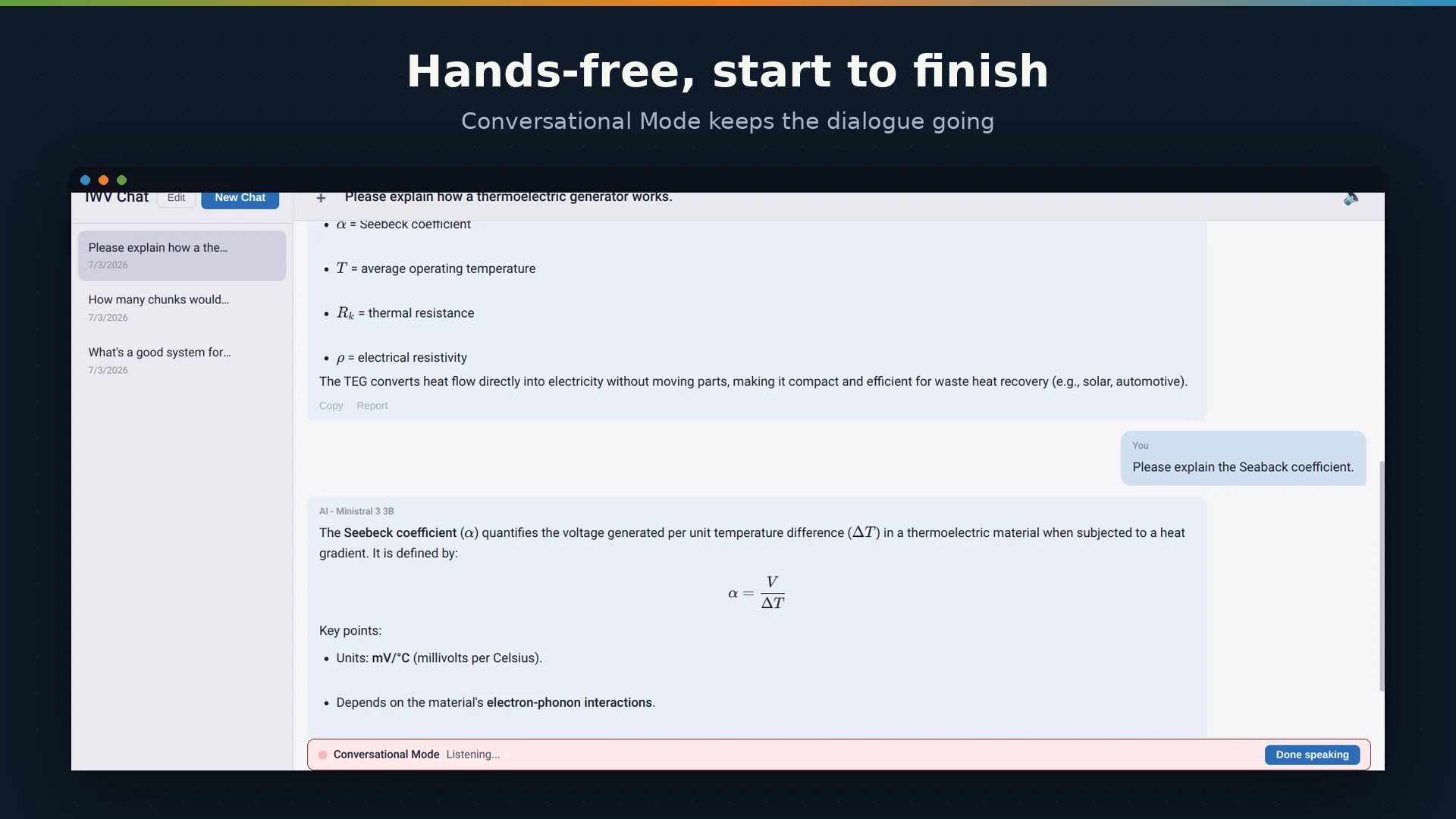
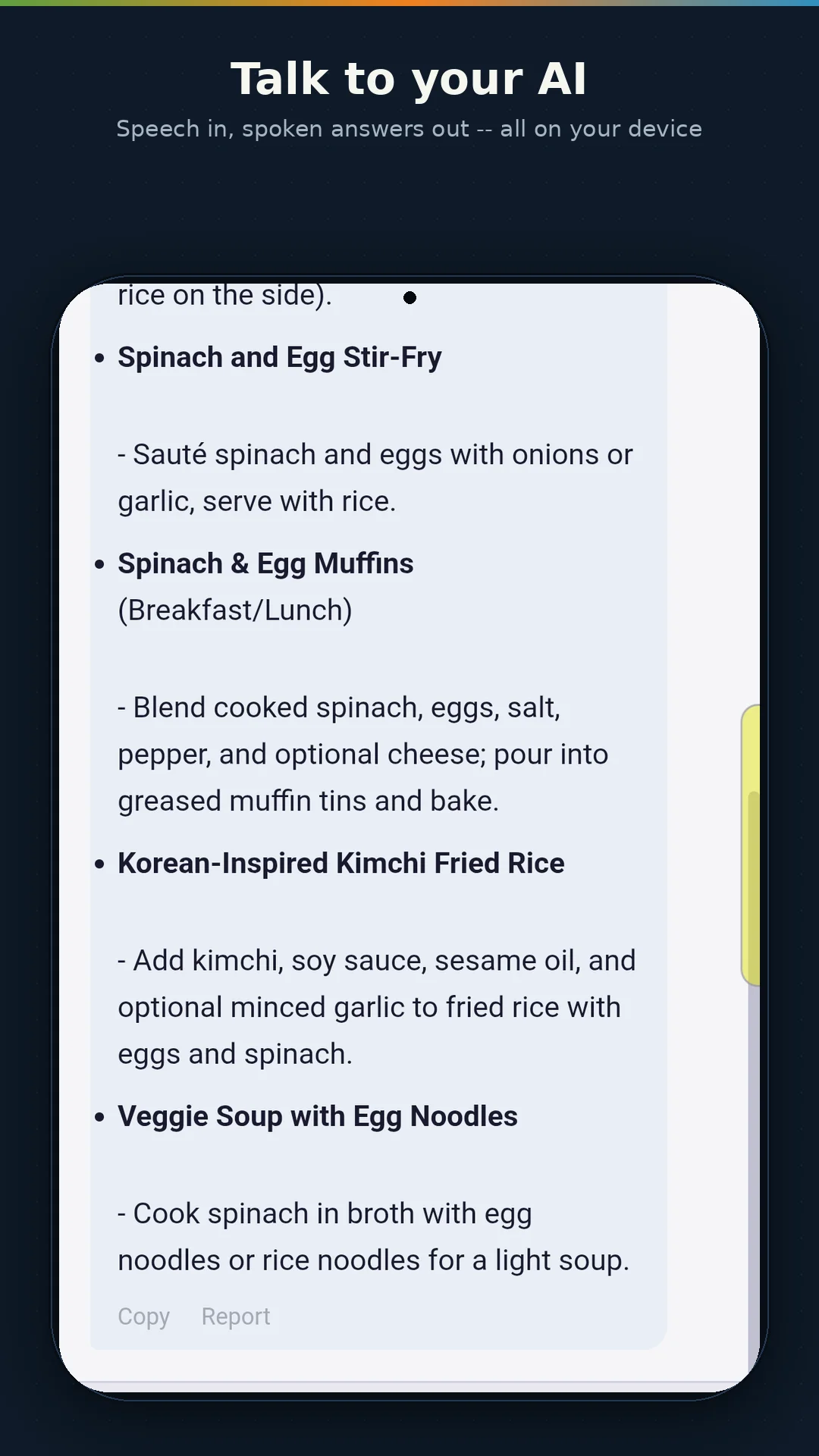
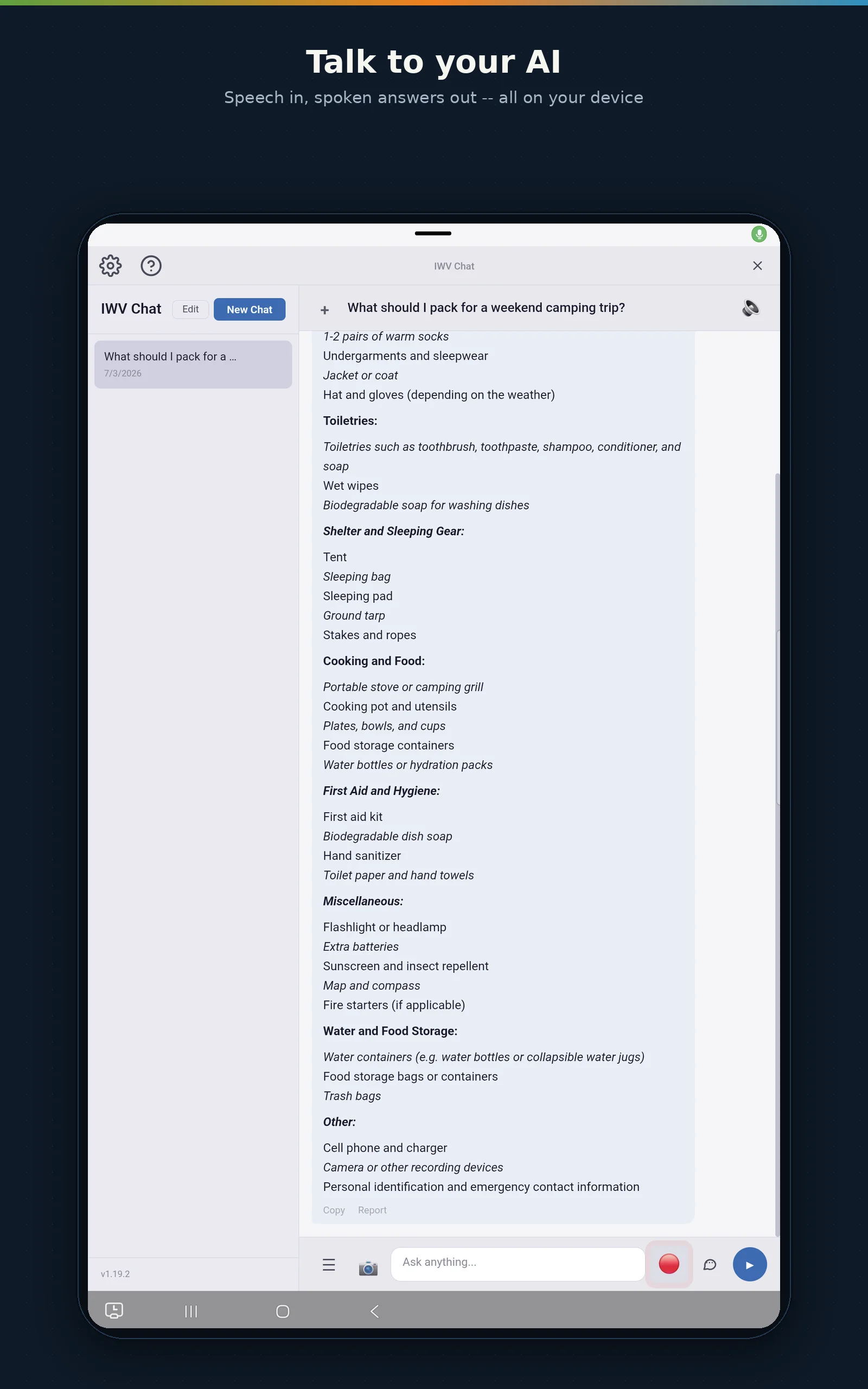
IWV Chat AI is designed to be spoken to. A microphone button in the chat interface lets you speak your question instead of typing it. The app records your voice, transcribes it locally using whisper.cpp — the same speech recognition engine trusted by developers worldwide — and submits the transcription to the AI automatically. No separate send button required.
Transcription happens entirely on your device. Your voice audio is never uploaded, never processed remotely, and never stored beyond the transcription step. The whisper base model supports high-accuracy recognition across multiple languages with built-in punctuation — no post-processing required.
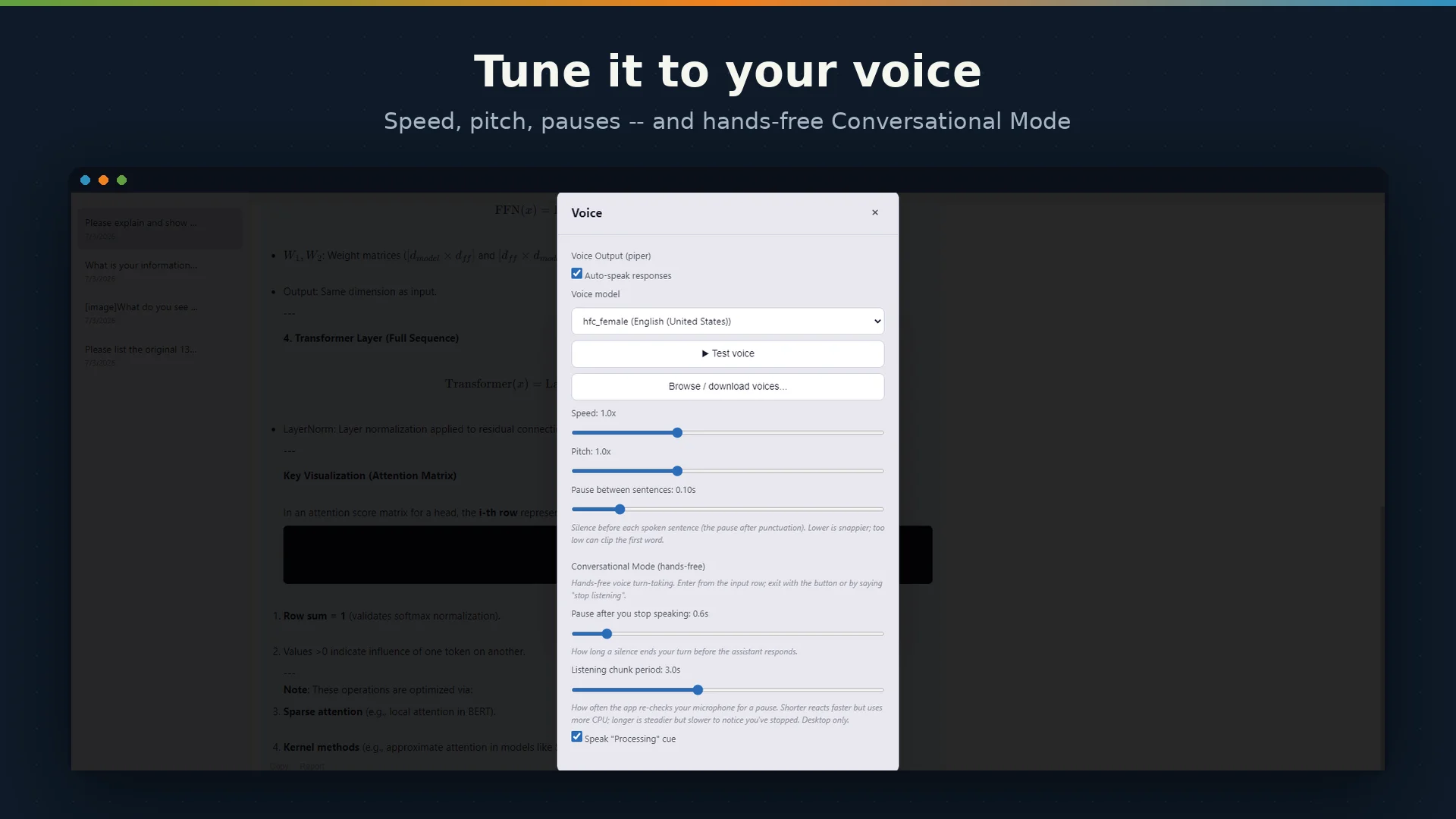
On the response side, IWV Chat AI can read answers aloud using text-to-speech. On Android, this uses the system TTS engine with full voice selection. On Windows and Linux desktops, IWV Chat AI uses Piper TTS — a high-quality, offline neural speech synthesis engine — with espeak-ng and system speech services as fallbacks. Speech rate and pitch are adjustable in settings.
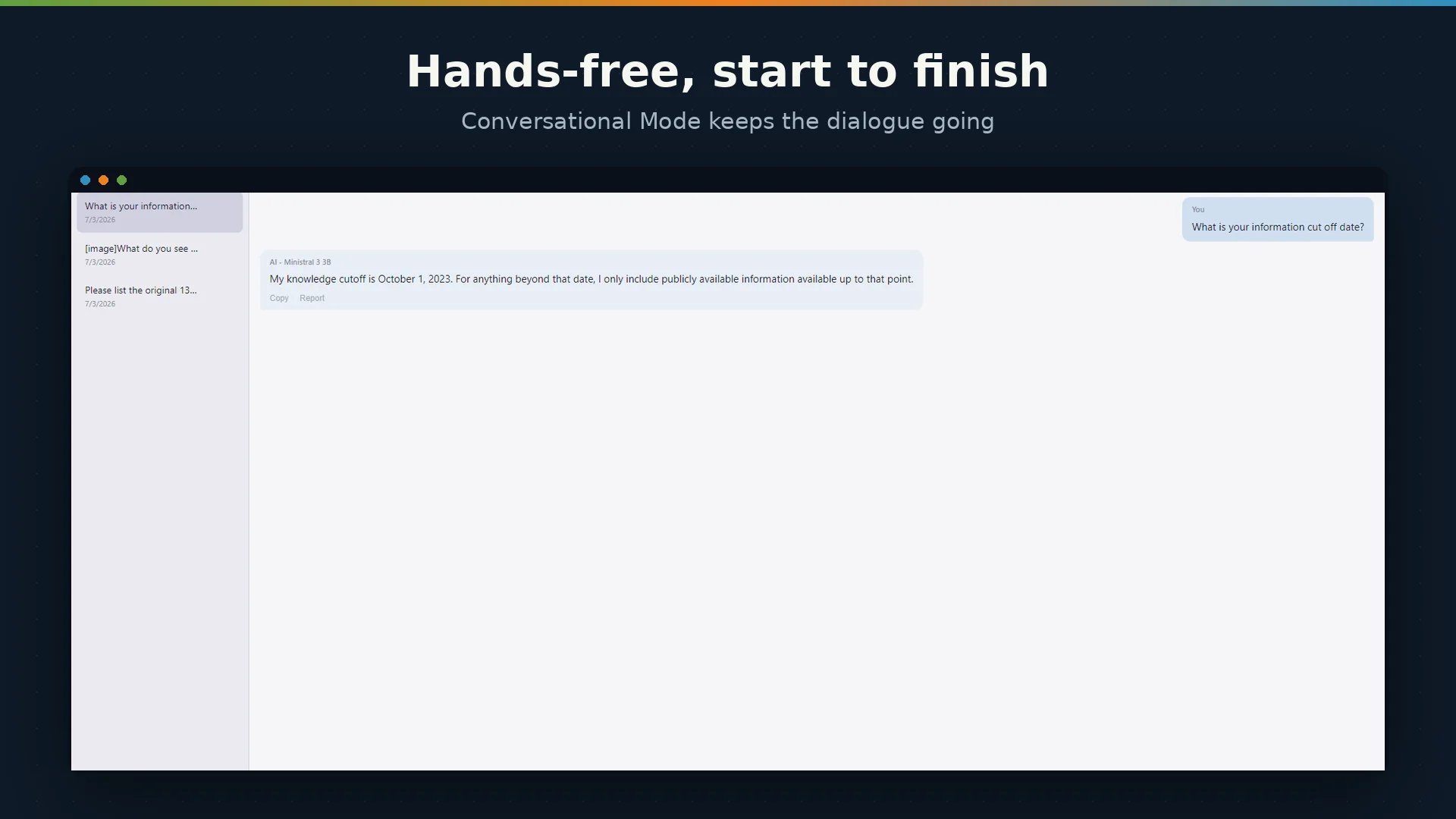
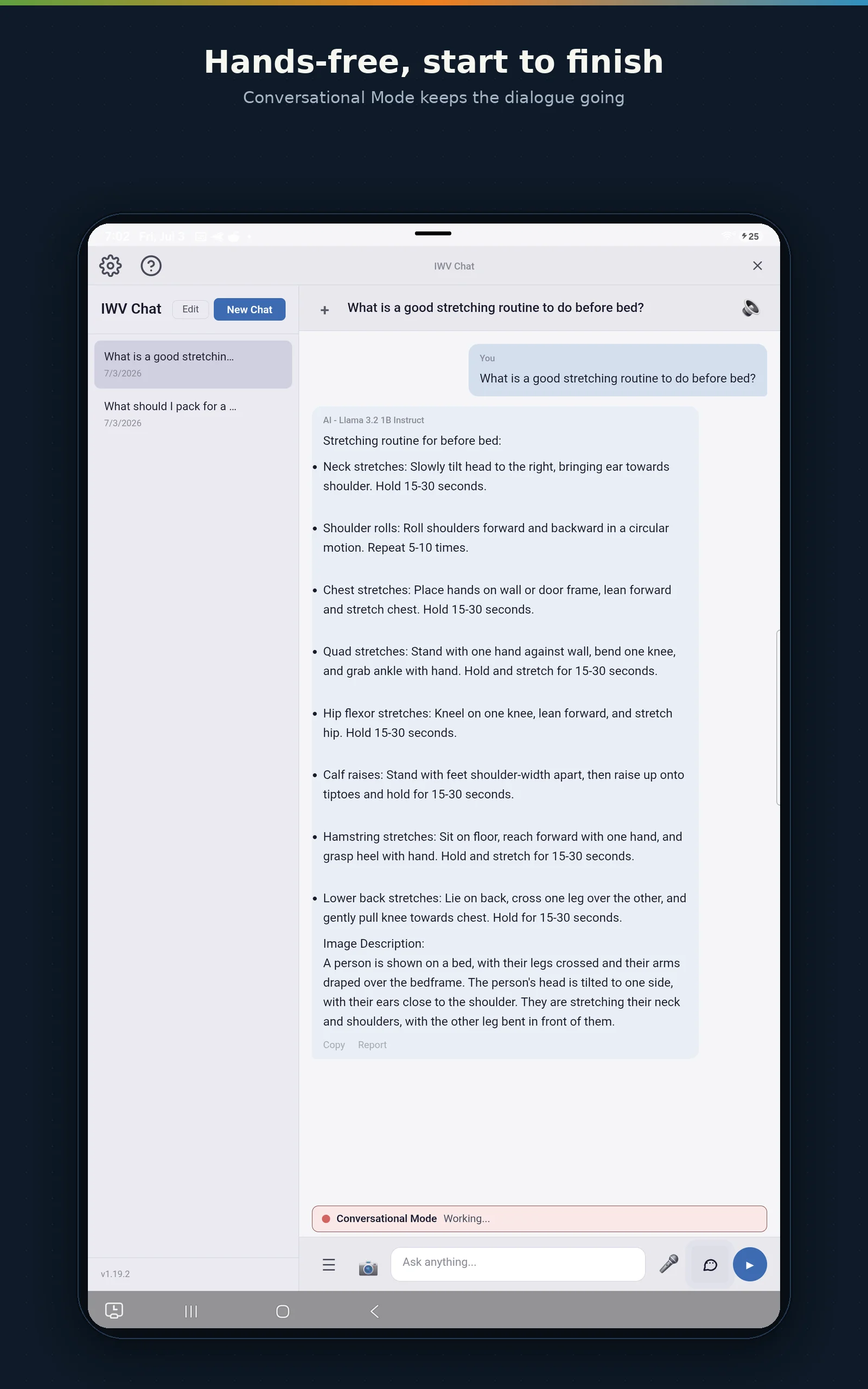
The result is a complete voice conversation loop: speak your question, hear the answer, follow up naturally. Hands-free AI interaction with zero cloud involvement.
See It In Action
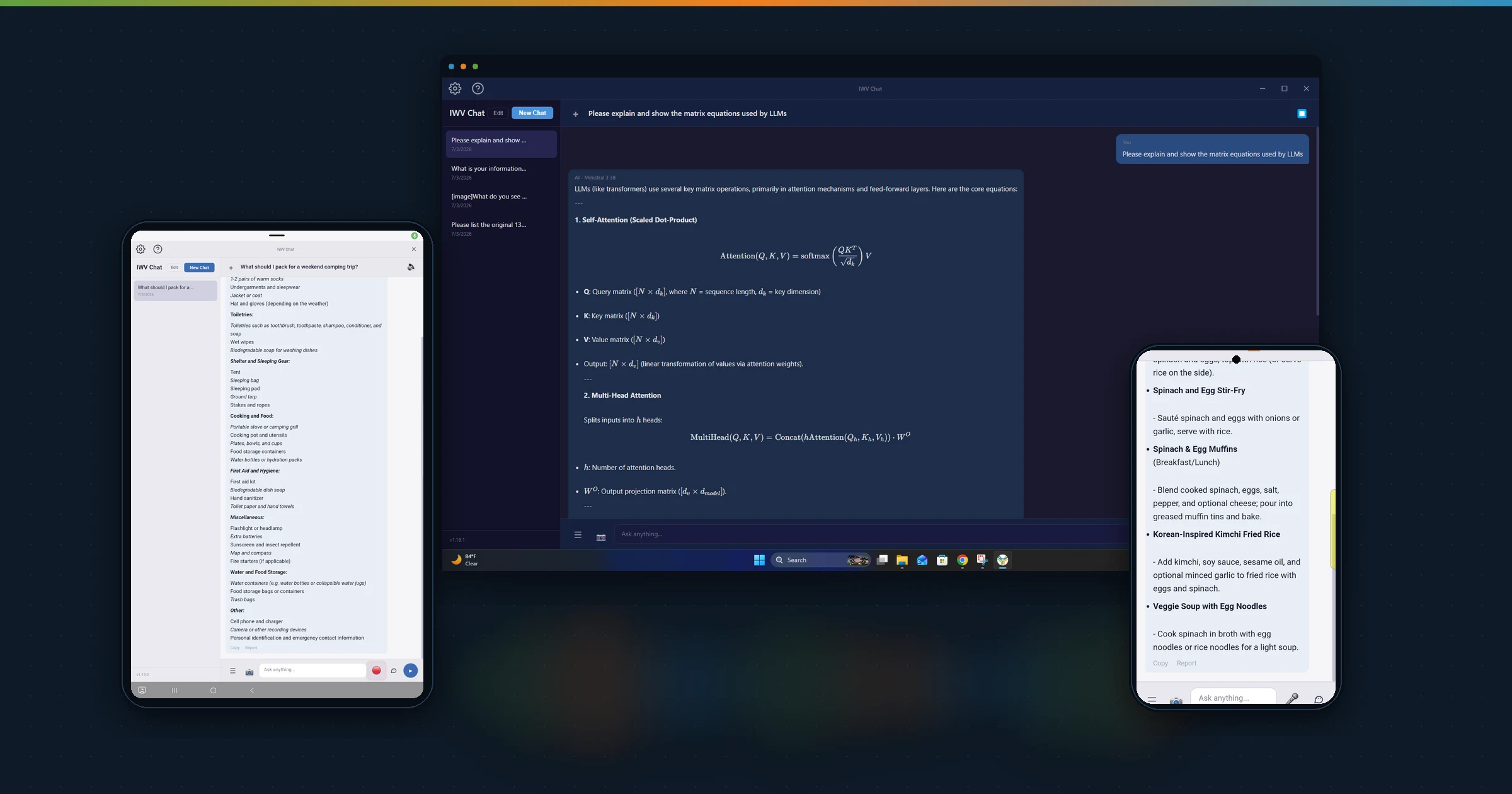
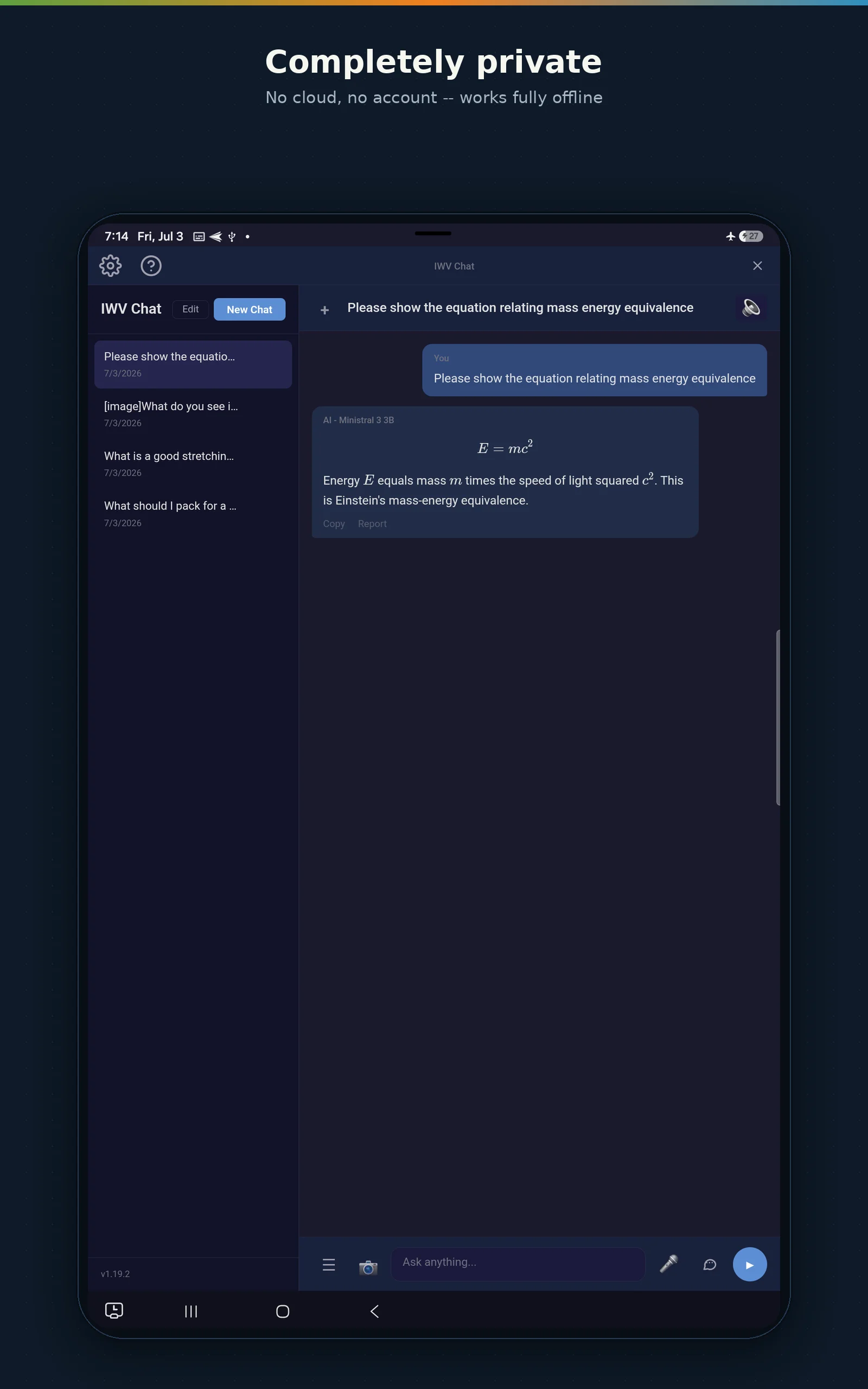
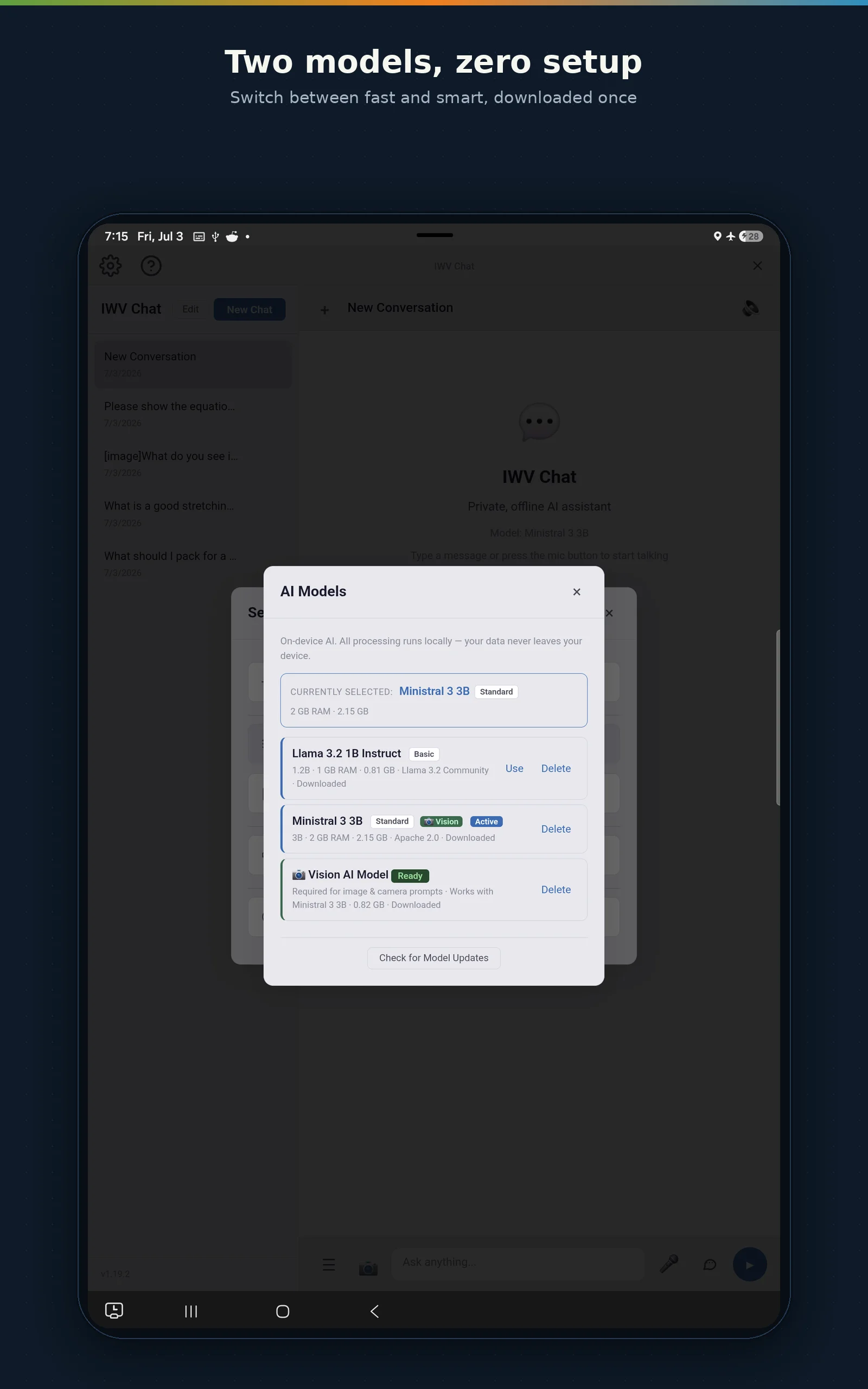
The same private, voice-first assistant — on every platform.


Two Models, Zero Compromises
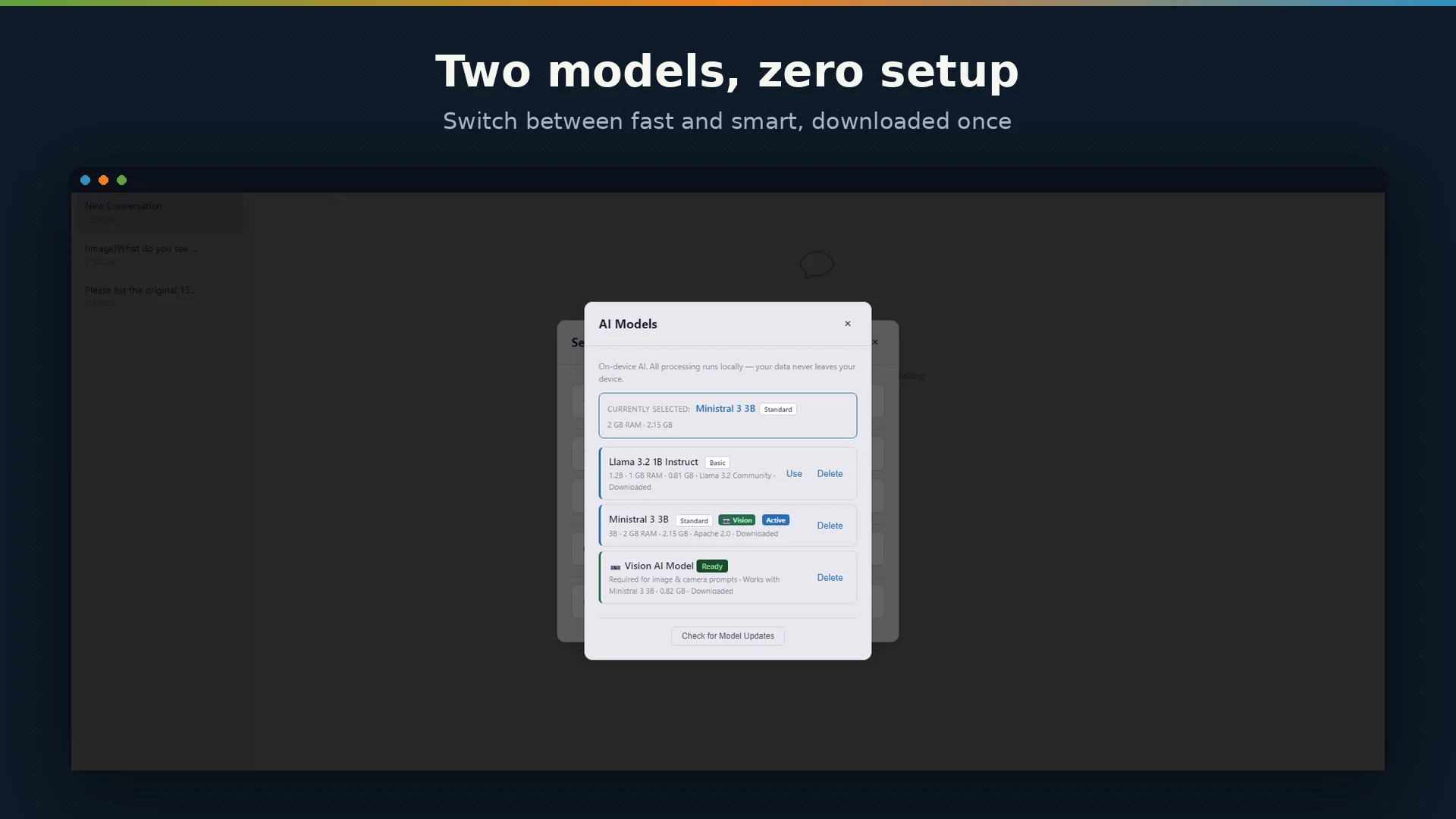
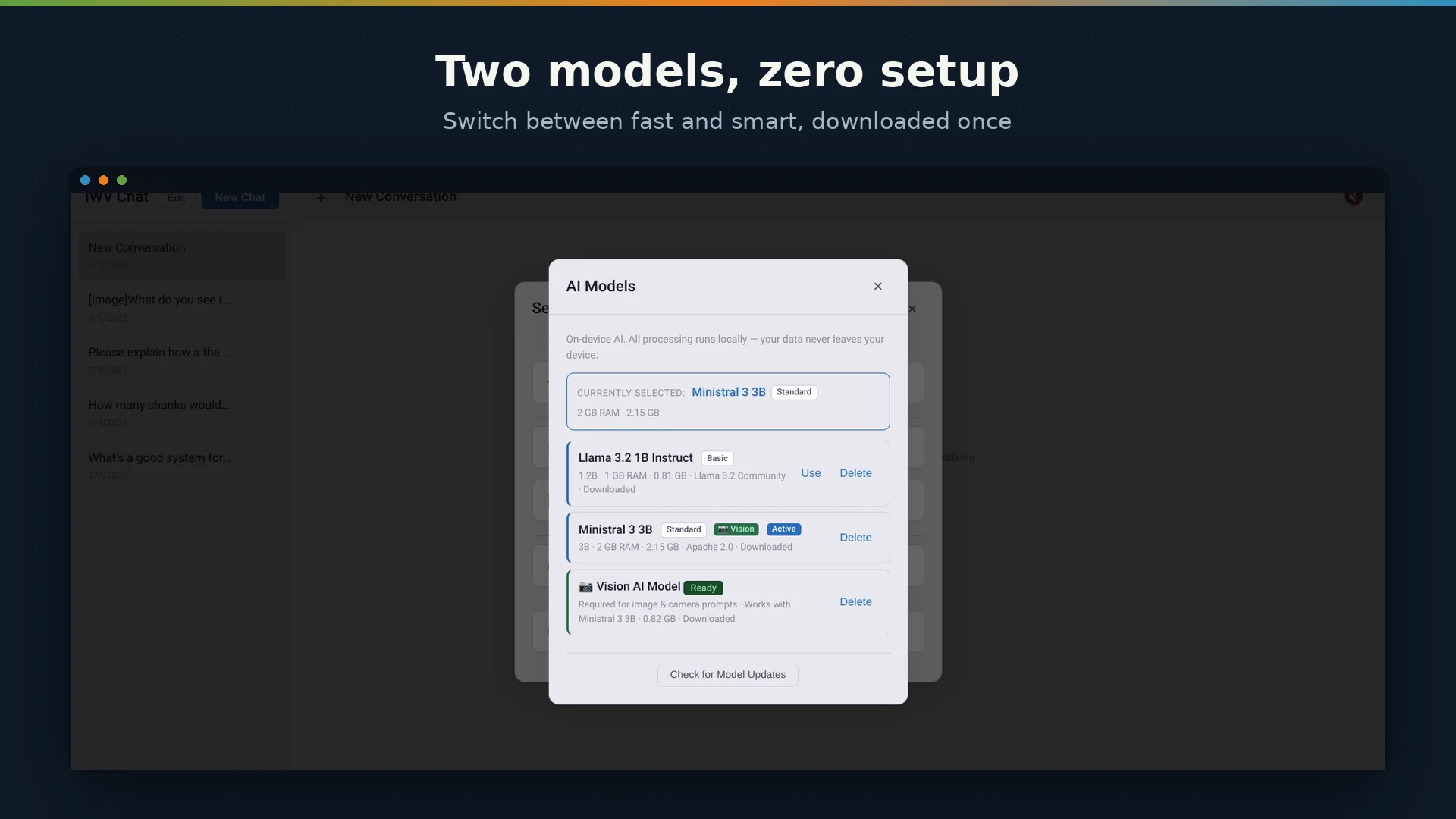
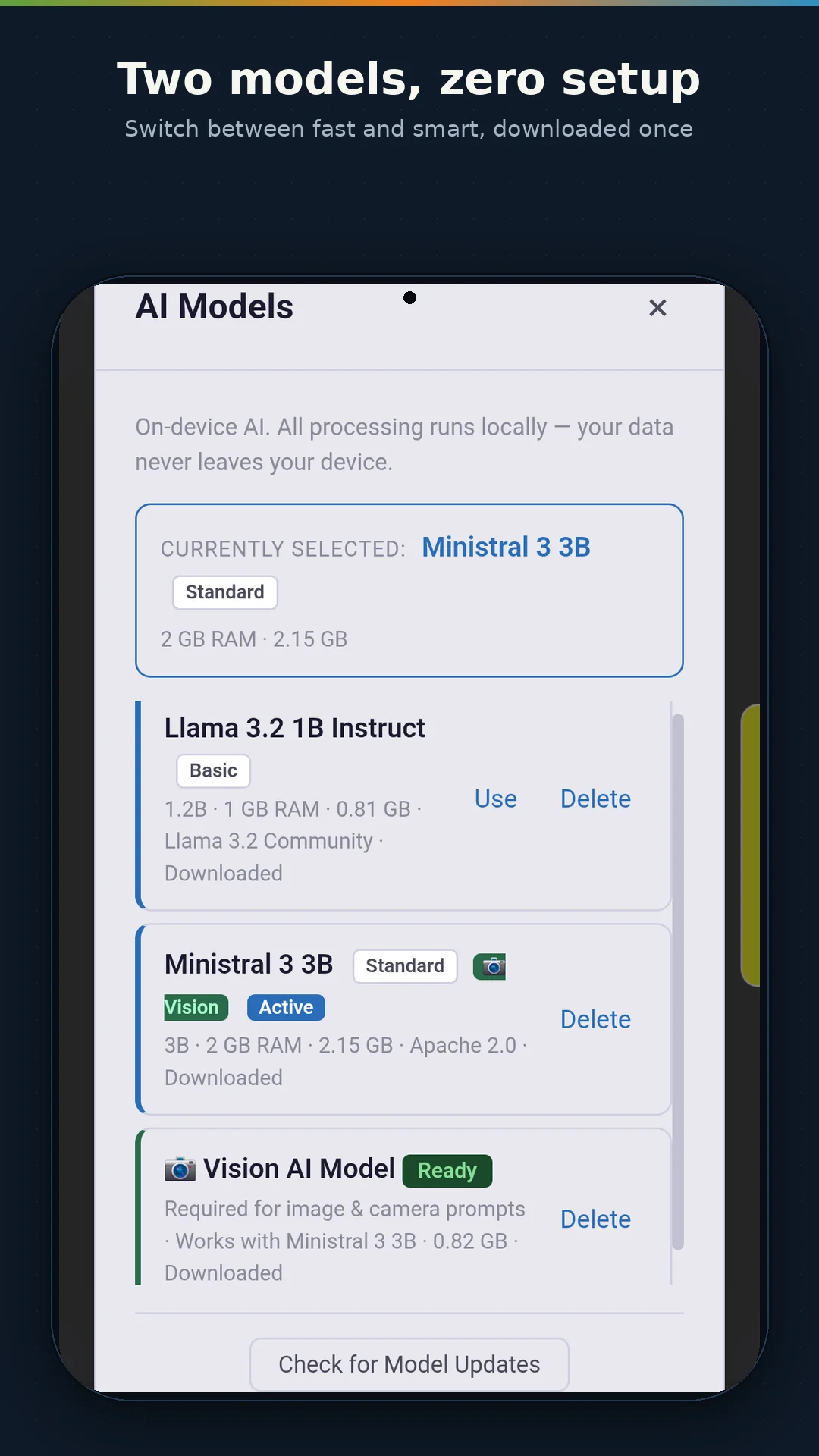
IWV Chat AI ships with access to two carefully selected AI models, both downloaded to your device at first run:
LFM2.5 VL 1.6B is a compact, fast multimodal model from Liquid AI — and despite being the lightweight option, it understands images as well as text. At 1.6 billion parameters it uses roughly 1.3 GB of memory during inference (about 2 GB at peak), so it runs comfortably alongside other apps on most modern phones. It handles everyday questions, writing assistance, brainstorming, and general conversation with surprising capability, supports a 32K-token context window, and can answer questions about a photo just like its bigger sibling. Released under the LFM Open License v1.0.
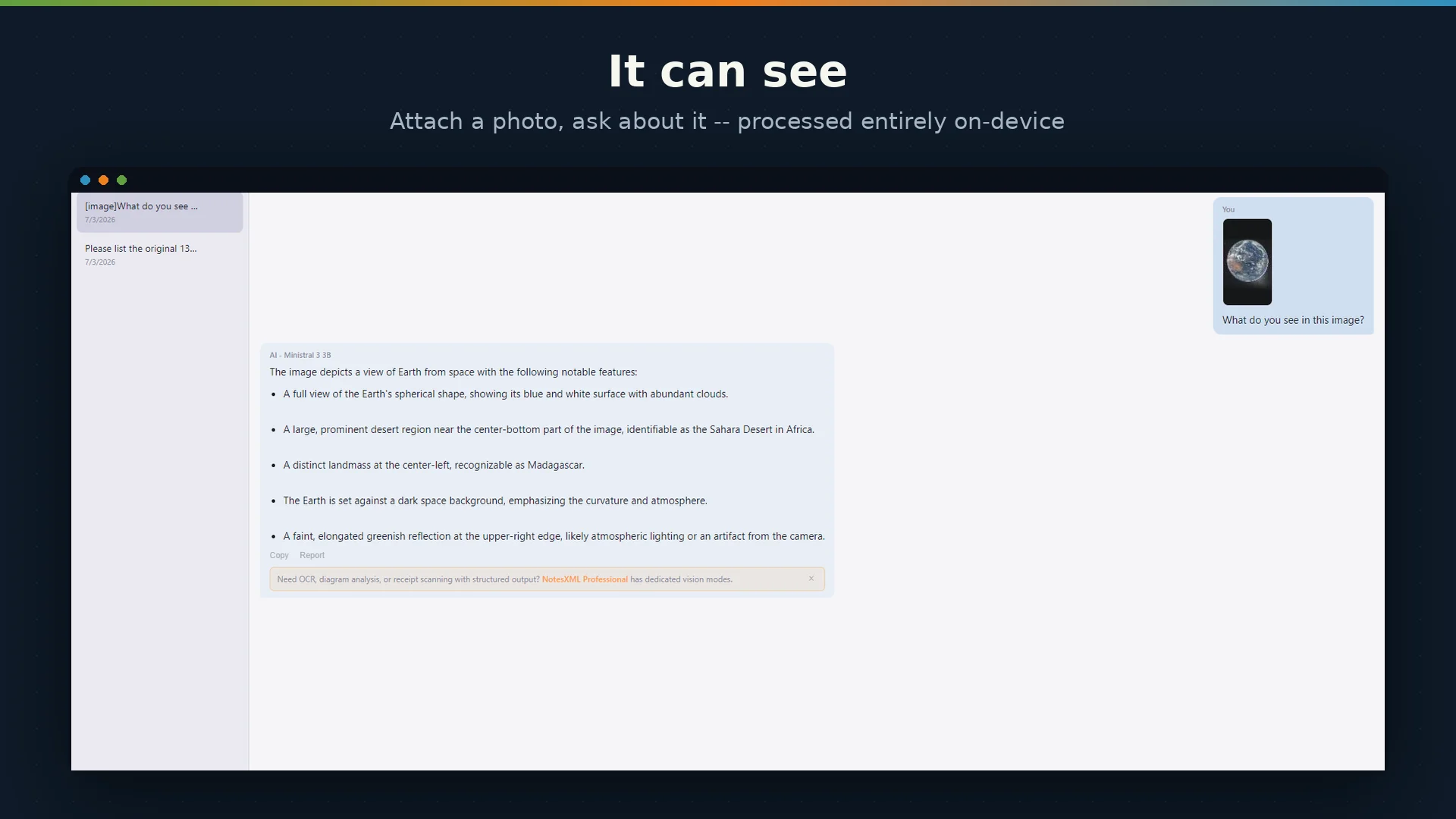
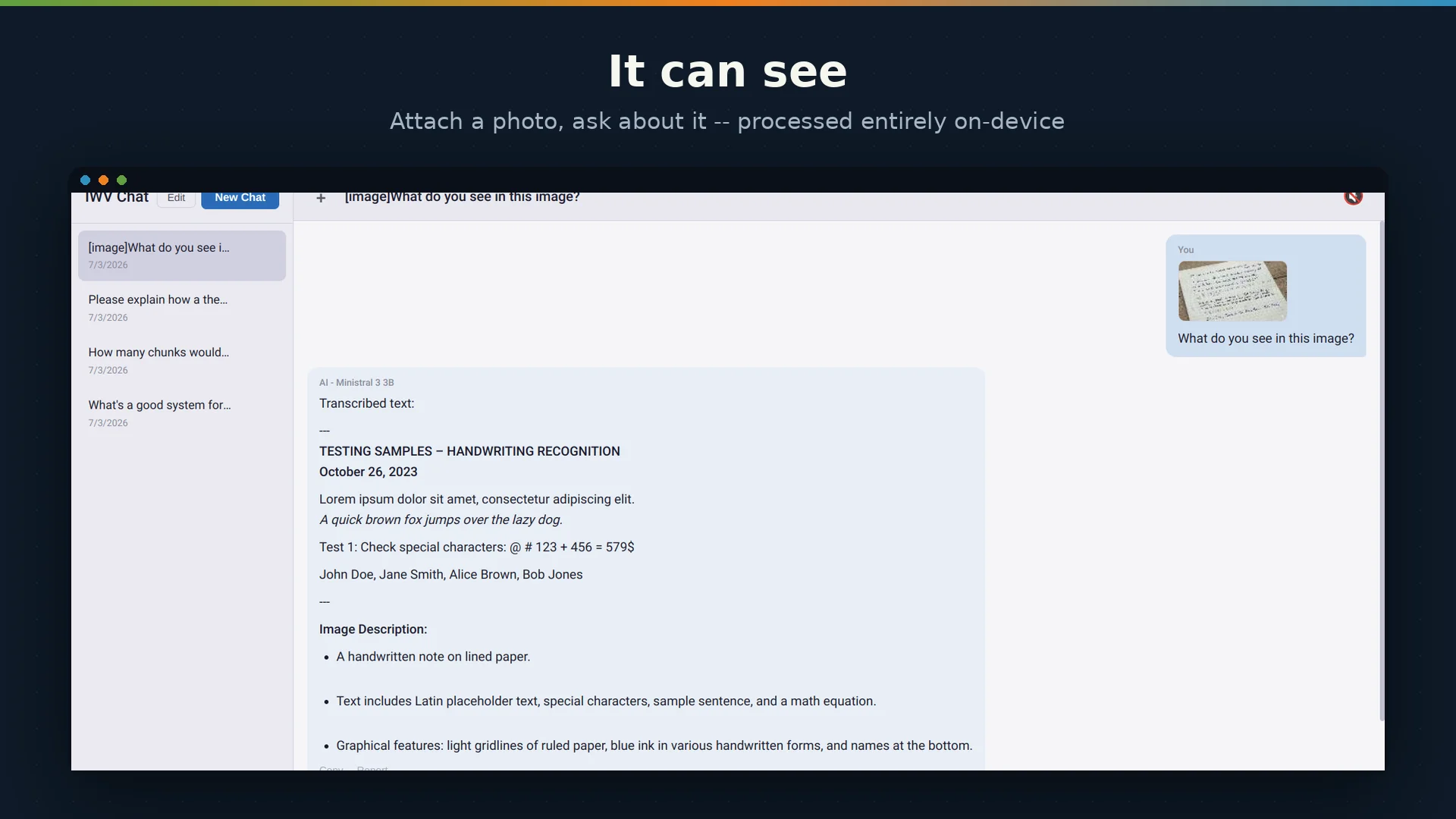
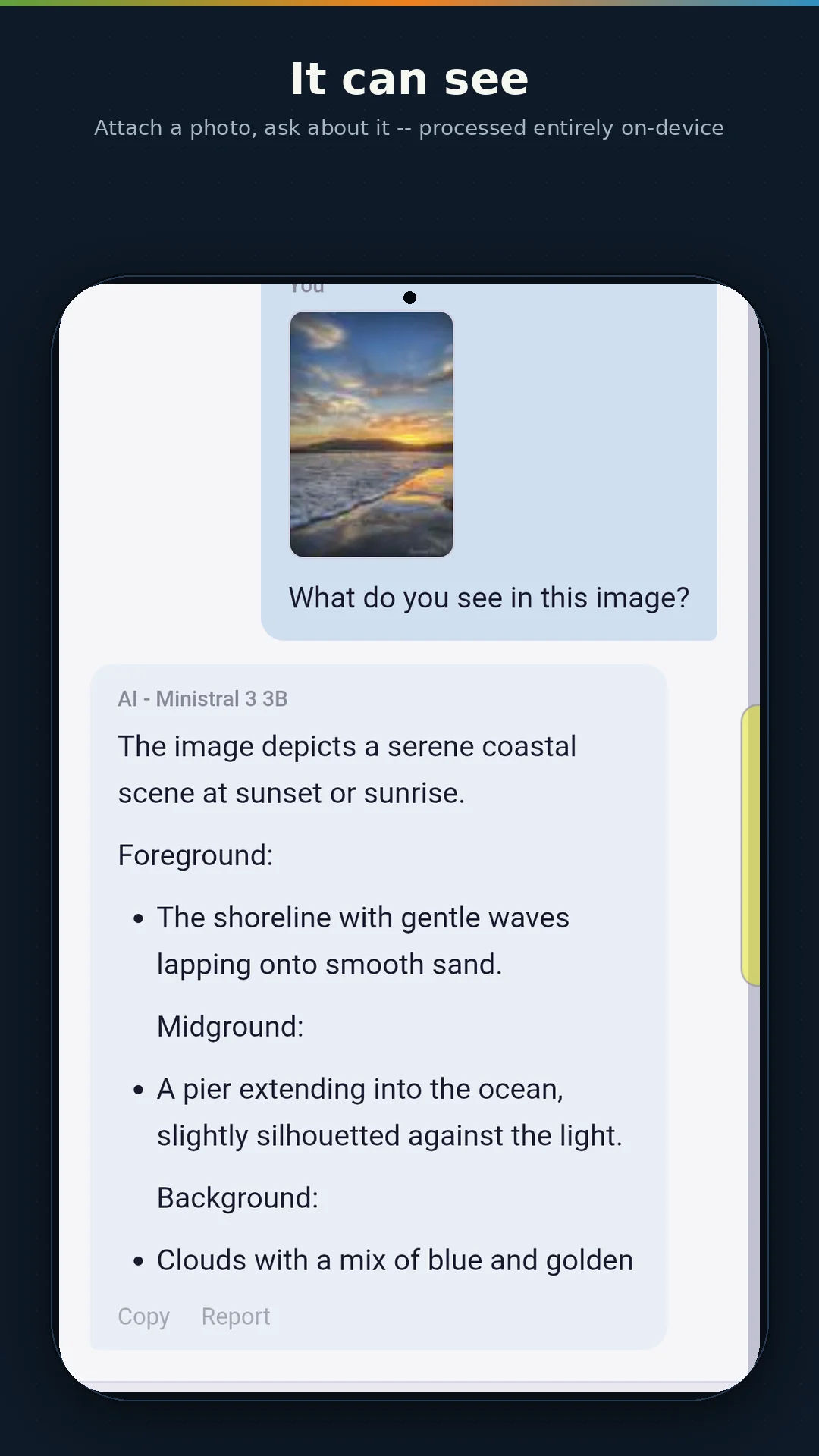
Ministral 3 3B is a multimodal model from Mistral AI that understands both text and images. With Ministral, you can snap a photo or select an image from your gallery and ask the AI about it — "What is this?", "Read the text in this photo", "Describe what you see." Image analysis runs entirely on-device, just like text conversations. The model with its vision pack uses approximately 3 GB of memory during inference. On Android, this means a device with at least 8 GB of total RAM — 12 GB recommended for smooth multitasking alongside vision AI. Ministral 3 3B supports a 256K-token context window and requires its companion vision file for image analysis — the app offers that download automatically the first time you ask about an image. Released under the Apache 2.0 license.
The first-run welcome screen detects your device's available memory and recommends the best model for your hardware. You can download one model, both, or start with the lightweight option and add the larger one later.
Quick Actions
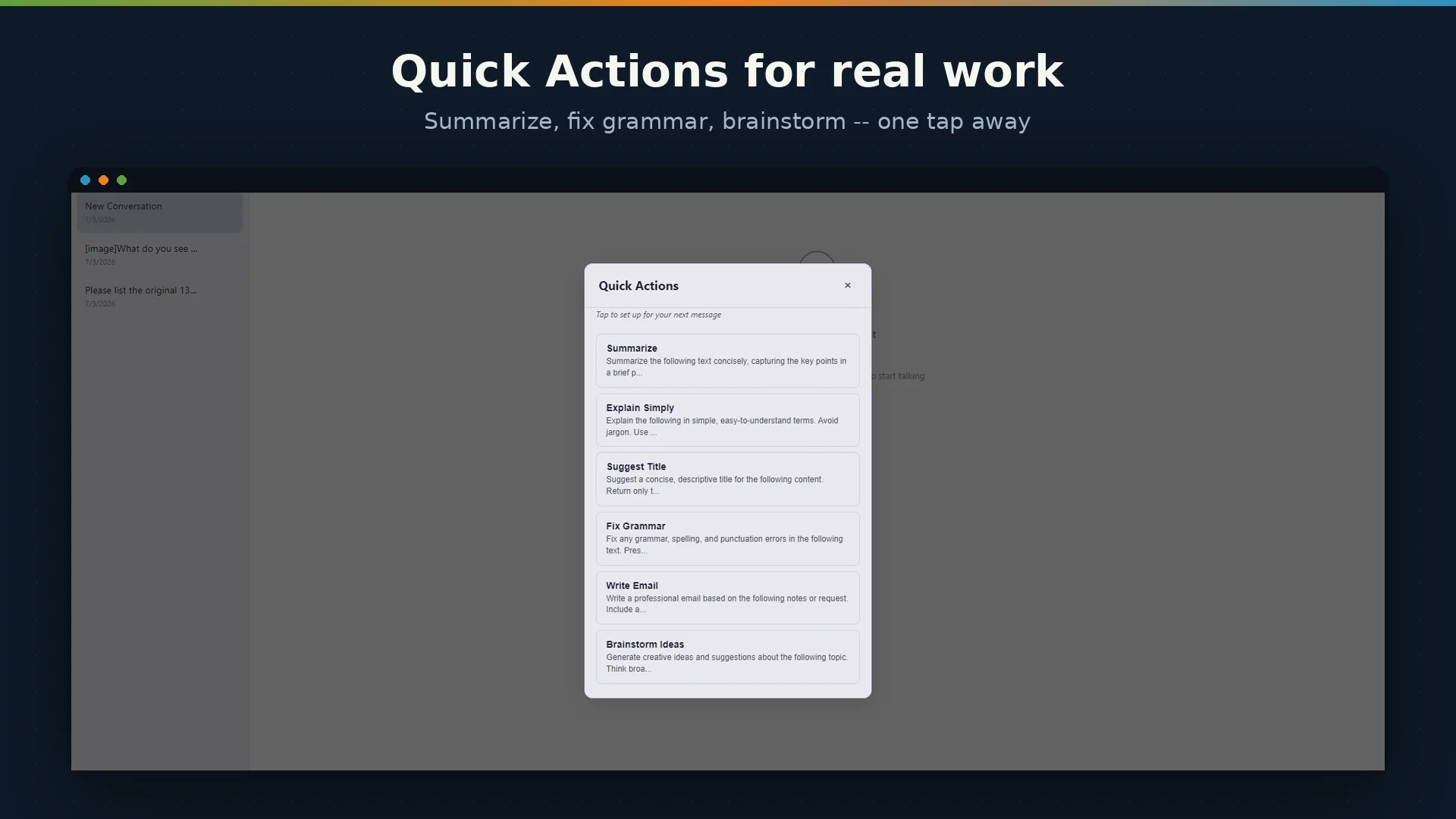
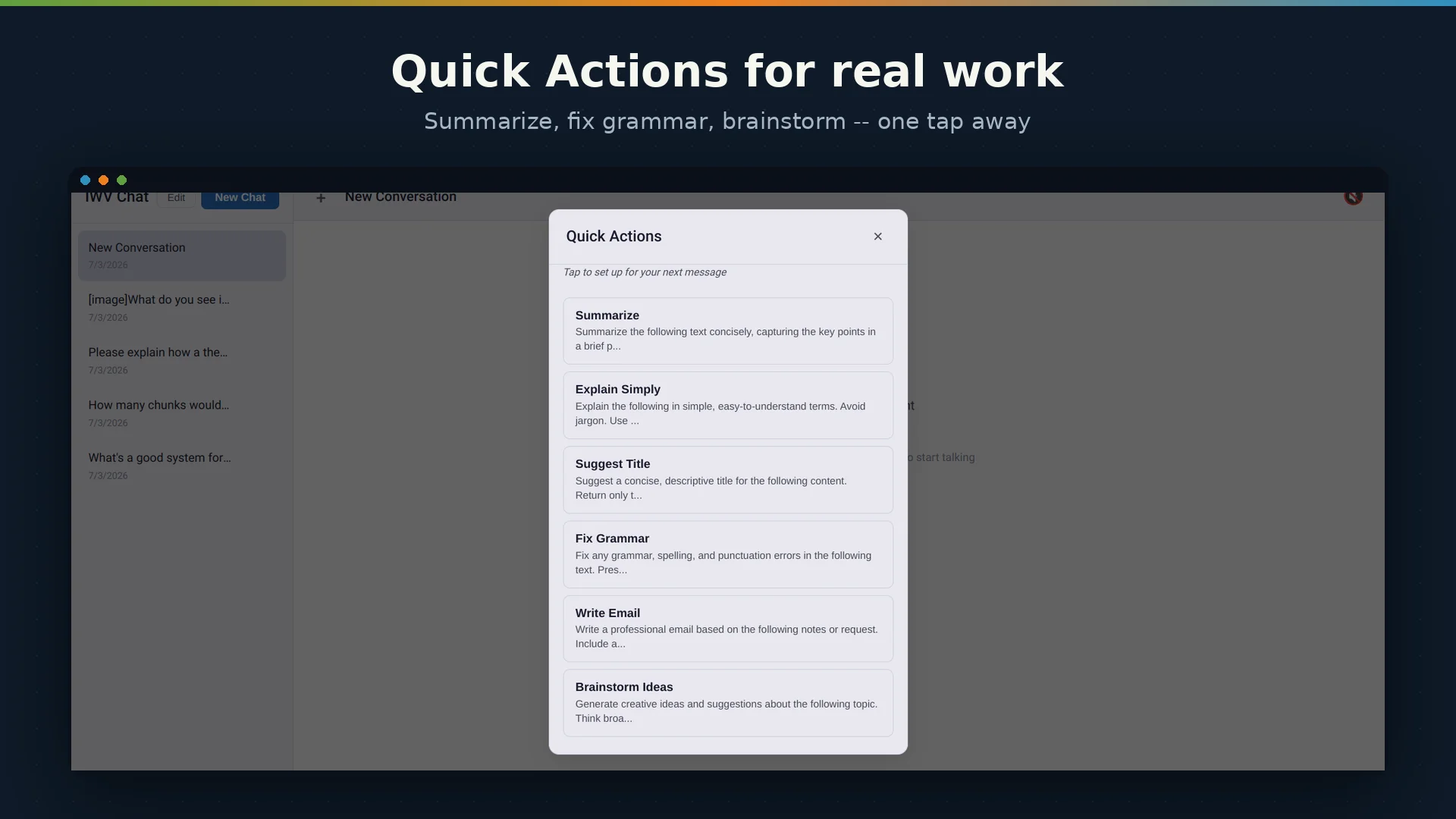
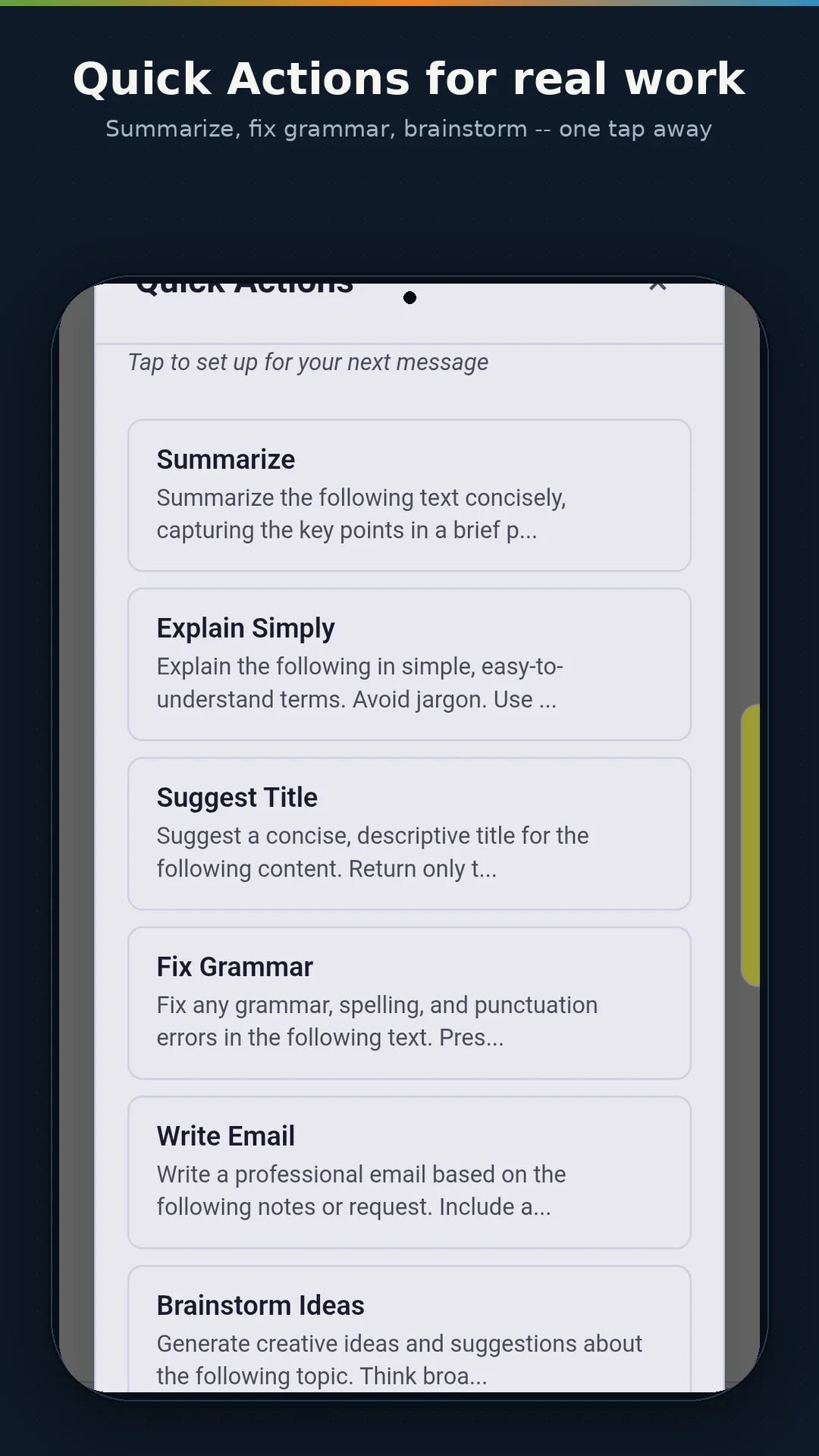
For common tasks, IWV Chat AI provides a set of quick-action buttons that insert pre-written prompts into the chat with a single tap: Summarize, Explain Simply, Translate, Fix Grammar, Write Email, and Brainstorm Ideas. Paste in some text, tap a quick action, and the AI gets to work immediately — no prompt engineering required.
GPU-Accelerated Intelligence
Running an AI model locally demands real computing power, and IWV Chat AI is engineered to use every bit of hardware acceleration available on your device.
On desktops with a discrete graphics card, IWV Chat AI uses Vulkan — a cross-platform GPU API — to offload AI inference to your GPU. NVIDIA RTX, AMD Radeon, and Intel Arc graphics cards are all supported. For Intel integrated graphics, SYCL acceleration is available through a specialized runtime. The application detects your GPU automatically at startup, selects the optimal acceleration path, and extends startup timeouts to account for shader compilation on first run.
On Android, inference runs on the CPU with optimized thread allocation that accounts for the big.LITTLE core architecture found in modern mobile processors — performance cores handle the heavy computation while efficiency cores keep the system responsive.
The practical result: faster responses, lower latency, and a more natural conversational pace — all computed locally on your own hardware.
Privacy Without Asterisks
IWV Chat AI's privacy model has no exceptions, no fine print, and no opt-out toggles because there is nothing to opt out of.
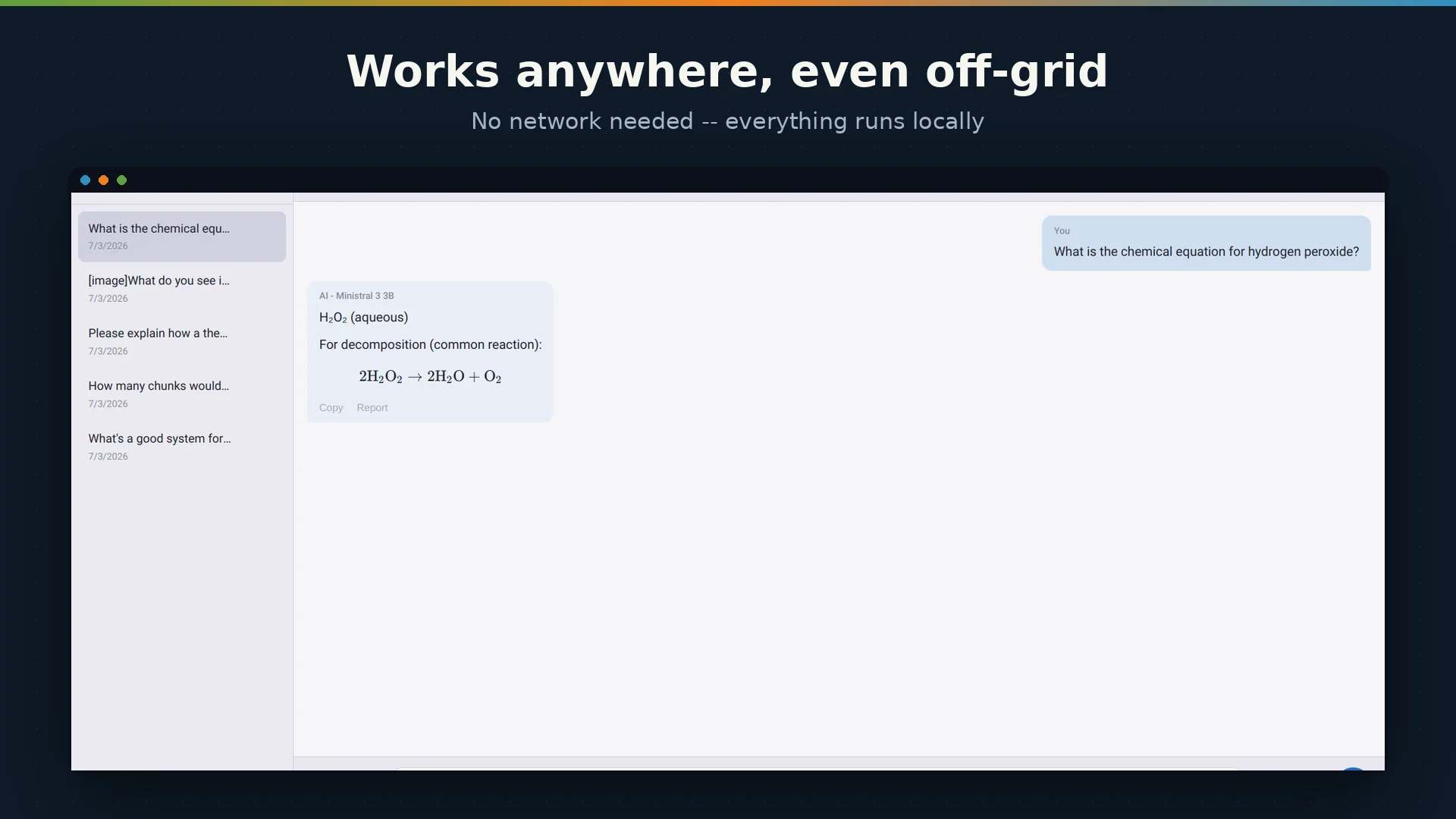
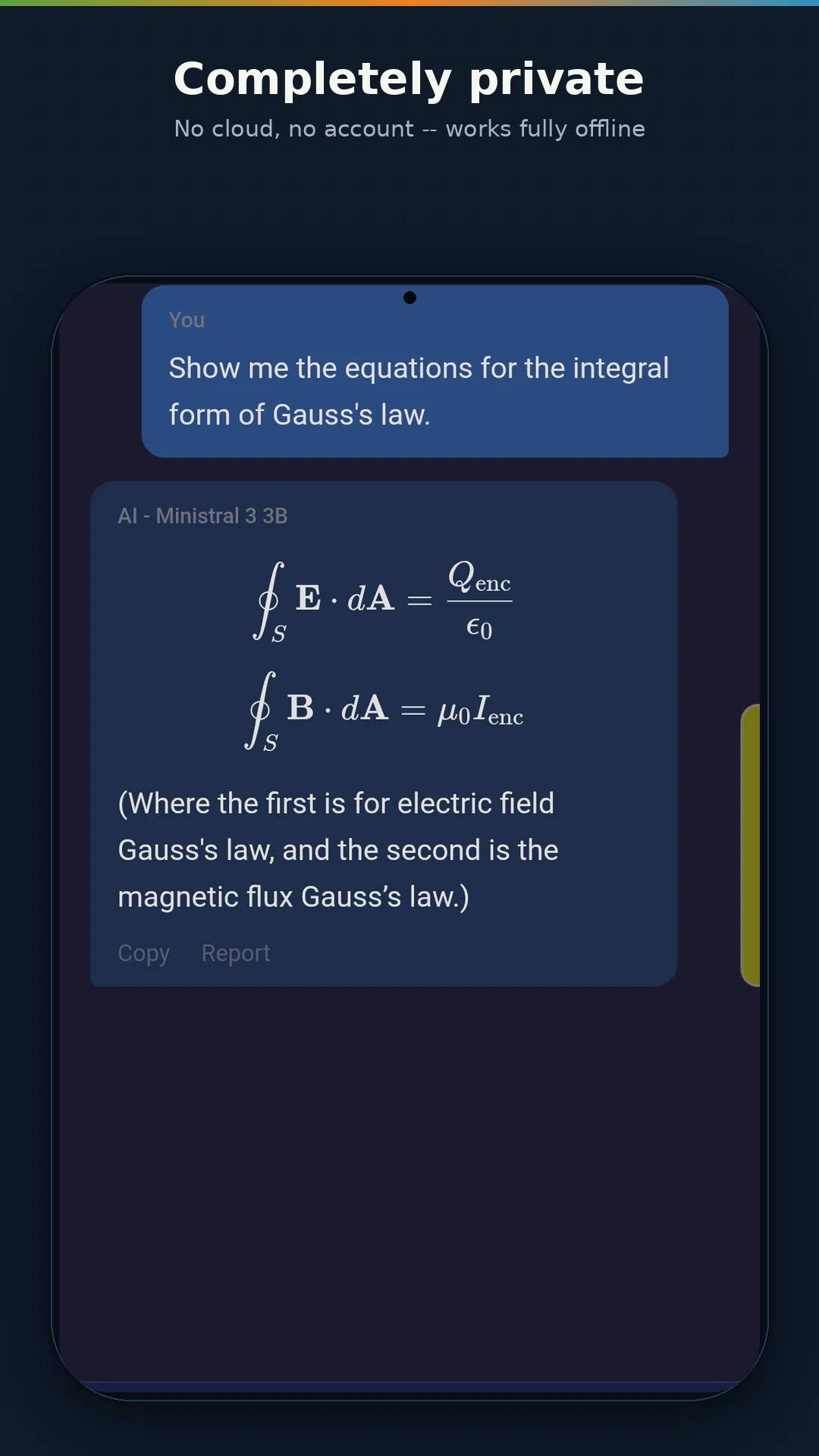
No cloud processing. Every AI computation — text generation, speech recognition, text-to-speech, image analysis — runs on your device. No data is transmitted to any server during normal operation.
No accounts. There is no sign-up, no login, no user profile. The app does not know who you are.
No telemetry. IWV Chat AI contains no analytics SDKs, no crash reporting services, no usage tracking, and no advertising infrastructure of any kind.
No ads. The application is permanently ad-free. There are no banner ads, no interstitials, no sponsored suggestions, and no advertising identifiers.
Offline by design. After the initial model download, every feature works without an internet connection. Your conversations are stored locally on your device in standard JSON files that you can inspect, back up, or delete at any time.
The only network traffic IWV Chat AI ever generates is the initial model download and an optional, non-blocking check for model catalog updates from iwvdigitalsolutions.com. No user data is included in either request.
Platforms and Availability
IWV Chat AI is available for Android (APK download), Windows (installer), and Linux (AppImage) — all three downloadable now from the IWV Chat AI download page. All three platforms share the same core AI engine, the same models, and the same feature set.
| Platform | Format | Distribution |
|---|---|---|
| Android | APK | Free direct download from iwvdigitalsolutions.com |
| Windows | EXE installer | Free direct download from iwvdigitalsolutions.com |
| Linux | AppImage | Free direct download from iwvdigitalsolutions.com |
The Relationship to NotesXML
IWV Chat AI is built on the same AI engine that powers NotesXML Professional — the same llama.cpp inference core, the same GPU acceleration architecture, and the same commitment to on-device privacy. If you have used NotesXML's AI Chat feature, you already know how IWV Chat AI feels.
The difference is scope. IWV Chat AI is a focused conversational assistant: two models, voice input, voice output, quick actions, and persistent conversations. NotesXML Professional is a full productivity platform with 26 note types, 10 AI models, 101 customizable AI prompts, AI Vision with specialized OCR and diagram analysis, a full prompt editor, file and document analysis, conversation export to PDF and Markdown, cloud sync to Google Drive and Dropbox, 16 themes, and AES-256 encryption.
If IWV Chat AI makes you curious about what a full on-device AI productivity suite looks like, NotesXML Professional is the answer. IWV Chat AI is the introduction; NotesXML is the destination.
| Feature | IWV Chat AI (Free) | NotesXML Professional |
|---|---|---|
| AI Models | 2 (LFM2.5 VL 1.6B + Ministral 3 3B, both vision-capable) | 10 (1B – 31B) |
| Voice Input | Full (whisper.cpp) | Full |
| Text-to-Speech | Full (Piper TTS / system) | Full |
| Vision / Image Q&A | General-purpose | Specialized (OCR, diagrams, receipts) |
| Prompt Templates | 6 fixed quick actions | 101 customizable prompts |
| Prompt Editor | No | Yes |
| File / Document Analysis | No | Yes |
| Advanced Model Settings | No | Temperature, Top-K, context, threads |
| Conversation Export | Copy only | PDF, Markdown, HTML |
| Cloud Sync | No | Google Drive, Dropbox |
| Themes | Light and Dark | 16 themes |
| Encryption | N/A | AES-256 with Zero-Knowledge sync |
| Price | Free, forever | One-time license from $49.99 |
The Price
Free. Completely, permanently, unconditionally free. No trial period, no feature gates, no "free tier" with an upgrade nag. Every feature described on this page is available to every user on every platform at no cost. IWV Chat AI does not contain advertising and never will.
The IWV Standard
IWV Chat AI is built and maintained by IWV Digital Solutions LLC, an independent software company based in California. We apply the same development discipline to IWV Chat AI that we apply to NotesXML: every feature is specified in writing before it is built, every interface is formally documented, and user data sovereignty is a non-negotiable design constraint — not a marketing claim.
We believe a private AI assistant should be exactly that — private. Not "private unless you opt in to our improvement program." Not "private except for anonymized usage metrics." Not "private but we reserve the right to change this policy." Private. Full stop.
IWV Chat AI is the AI assistant your data deserves.
IWV Chat AI is available now for Android, Windows, and Linux from iwvdigitalsolutions.com.
For full AI-powered note-taking with 16 models, 101 prompts, vision, encryption, and cloud sync, explore NotesXML Professional at iwvdigitalsolutions.com/products/notesxml.
© 2026 IWV Digital Solutions LLC. All rights reserved.
© 2026 IWV Digital Solutions LLC. All rights reserved.
← Back to Articles